
98Z5V
-
Posts
39,690 -
Joined
-
Last visited
Content Type
Profiles
Forums
Downloads
Gallery
Store
Everything posted by 98Z5V
-

Who wants to go shooting in Tucson after Christmas?
98Z5V replied to beachmaster's topic in General Discussion
Shoot goes down Sunday, 28 December 2014. Marana range is west-Tucson. Fly into Phoenix on Saturday sometime early, and you can venture forth with me and setup the 'advance party" that Saturday night, right on the range. <thumbsup> -
I'm looking all over the city for those, plus Reloader 7. Striking out everywhere today.
-
Who wants to go shooting in Tucson after Christmas?
98Z5V replied to beachmaster's topic in General Discussion
.338 Lapua Magnum is on the shelves out here. No need to bring any ammo with you, and suffer the weight-charges. I figure 40 rounds will do, for all of us. $250 for ammo. You're hanging out with the bestest motherfuckers there could ever be... ...for wrecking your wallet! <lmao> -
Who wants to go shooting in Tucson after Christmas?
98Z5V replied to beachmaster's topic in General Discussion
That means Ron has to buy ALL the beer. All of it. -
That $hit'll buff right out. <thumbsup>
-
The Bushnell TRS-25 is a good red dot. That deal is AWESOME!
-
Who wants to go shooting in Tucson after Christmas?
98Z5V replied to beachmaster's topic in General Discussion
DAMN!!! <lmao> -
Hit a impasse... Which part goes under the knife?
98Z5V replied to moose-hunter's topic in Building a .308AR
THAT is scary! -
0~50mph in 2.xx seconds didn't happen in that '98 Camaro of yours. I'm just sayin'...
-
Fly. Don't flake out now. You'll finally get the bipod that the MRAD deserves... <lmao>
-
Who wants to go shooting in Tucson after Christmas?
98Z5V replied to beachmaster's topic in General Discussion
Bull$hit - you can fly that MRAD with you. -
I picked up a bunch of stuff today - only thing missing right now is the right powder. Box of 250-count 405gr Laser Cast lead-alloy projos, Hornady "Custom Grade" 3-die set, more CCI 200 LRPs, RCBS #14 shell holder, and a box of 50 Hornady new unprimed cases. All I need to get my hands on is some good powder for these things.
-
Scope Recommendations for Scope Newb
98Z5V replied to BadBoyBilly's topic in Optics & Mounts, BUIS,Sights
That was the second one he built, or close. You need to lay off the MGD... <lmao> :happydrunks: -
Who wants to go shooting in Tucson after Christmas?
98Z5V replied to beachmaster's topic in General Discussion
Let me know if you're flying into San Diego, or Phoenix, or Tucson. We'll arrange the transportation. <thumbsup> -
You've officially been offered an OUT. I'm just sayin'... <lmao>
-
Who wants to go shooting in Tucson after Christmas?
98Z5V replied to beachmaster's topic in General Discussion
GAWD DAYUM!!!!! Don't know WTF happened, but :tfg:
-
Who wants to go shooting in Tucson after Christmas?
98Z5V replied to beachmaster's topic in General Discussion
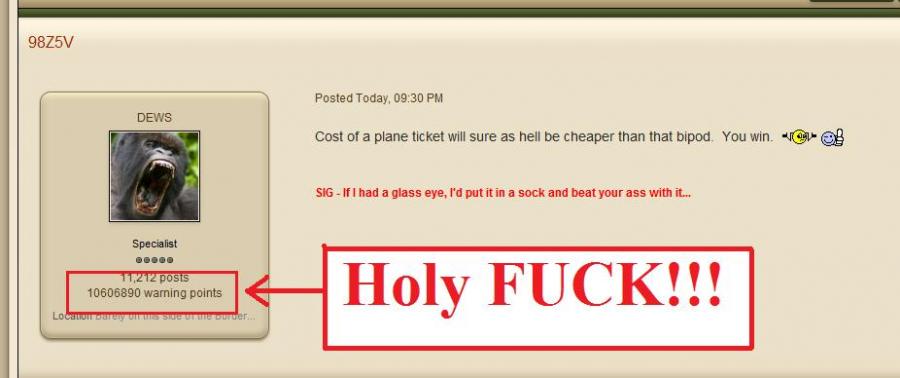
Cost of a plane ticket will sure as hell be cheaper than that bipod. You win. <dontknow> <thumbsup> -
Who wants to go shooting in Tucson after Christmas?
98Z5V replied to beachmaster's topic in General Discussion
::Censored:: Lol. You'll understand later -Robo -
Who wants to go shooting in Tucson after Christmas?
98Z5V replied to beachmaster's topic in General Discussion
Don't worry - I'll send you pics and video... <lmao> -
Well, I don't know?... <lmao>
-
Who wants to go shooting in Tucson after Christmas?
98Z5V replied to beachmaster's topic in General Discussion
Tell the kids not to even go outside that day! Got two pieces of GREAT news in the last 24 hours, plus one "capability update.". 1. The clearance has been given for me to move a large quantity of items into the range area ahead of time. Pre-position everything prior to everyone's arrival. Got that go-ahead late this afternoon (can't thank you enough, Brother Jon!!!) With this clearance, that means I can pull a 27 foot trailer down. That means, I'M BRINGING EVERYTHING. 2. Received shipping conf/tracking on a certain package - coming from Brother Roman - that is gonna be quite nice to have on-hand that day. It weighs around 10lbs, and it makes loud noises. Should be here any day now - plenty of time. 3. I have 3 memory cards for the GoPro - 1 x 8gb and 2 x 16gb cards. THAT'S ALOT OF VIDEO. :hethan: -
We're probably over 5 years old now... Coming up this Jan, I will have been here 5 years. Or Feb? $hit, one of those... The first board took a $hit due to hackers, then the 2nd one was up and running (and new) when DNP and I hopped on board. Not aimed at you, Boerboel... Vagisil helps. If members are of the thin-skinned nature, then they should keep a 5-gal BUCKET of Vagisil handy. When they hit that certain mood, or time of month, and they're feeling bitchy - reach into that bucket, grab a big handful, and smear yourself down with Vagisil, and you'll be feeling a little better in no time. <thumbsup>
-
WooHoo!!! Heal yeah, Roman!!! :hethan:
-
THAT is an opening like I've never seen! <lmao> <laughs>
-
Who wants to go shooting in Tucson after Christmas?
98Z5V replied to beachmaster's topic in General Discussion
There will be plenty of HD video from the GoPro Hero 3+. Guaranteed! <thumbsup>